Online Operators Report
This report provides the list of Live Chat Agents those are logged in AmplifyReach LiveChat at present.
You can get this report from AmplifyReach Dashboard -> Analytics -> Expand Left Panel -> Online Operators.
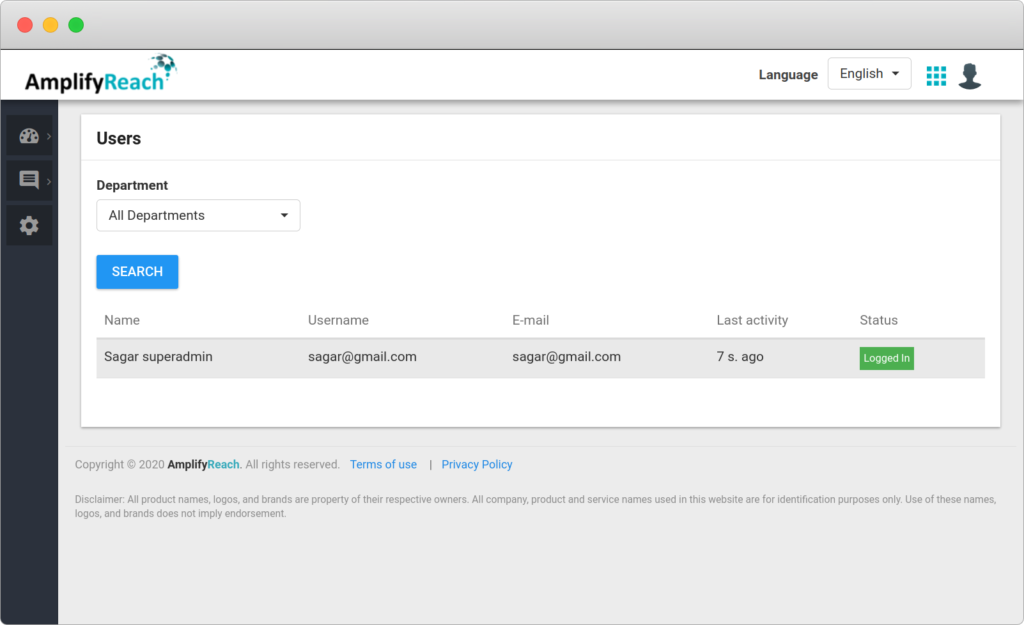
Note: The Admin can forcefully logout the Agent using the disconnect button.
Following details are shown for each agent:
| Name | Description |
|---|---|
| ID | Unique ID of the Agent |
| Name | Name of the Agent |
| Username | Username of the Agent. This is used to Sign-in into Live Chat Software |
| Email ID of the Agent. | |
| Last activity | Last activity time of agent. Activities like ‘Accept chat’, ‘Close chat’, ‘Mark as Online’, Mark as Offline’, ‘Login’, ‘Logout’ etc. |
| Status | Agent current status. Possible values of status is: ‘Logged In’. |
